Bikeshare coming soon!

Valencia Go Bikeshare logo

A new way to explore Valencia by FivePoint!

We are Valencia by FivePoint's e‑bike share

Phone app

A new way to explore Valencia!

We are Valencia's e-bike share

Pricing

VALENCIA GO™ bike share is the fun new way to get around.

Whether you're running errands, visiting, or riding recreationally, we welcome residents and visitors to cruise Valencia with us!

Resident pass

No unlock fee

Includes 120 minutes of free ride time

$0.08 per min after

Pay as you go

$3.50 to unlock

Includes 30 minutes of free ride time

$0.08 per min after

How it works
1

Release

Scan the QR code to unlock the bike and start.
2

Ride

Pedal an e‑bike to get a boost. Ride in designated e‑bike pathways or in the street, only.
3

Park

Park correctly within the service area, check app for instructions.
4

Dock

Dock the bike into the docking station, submit a photo to end your trip.

Get the app now!

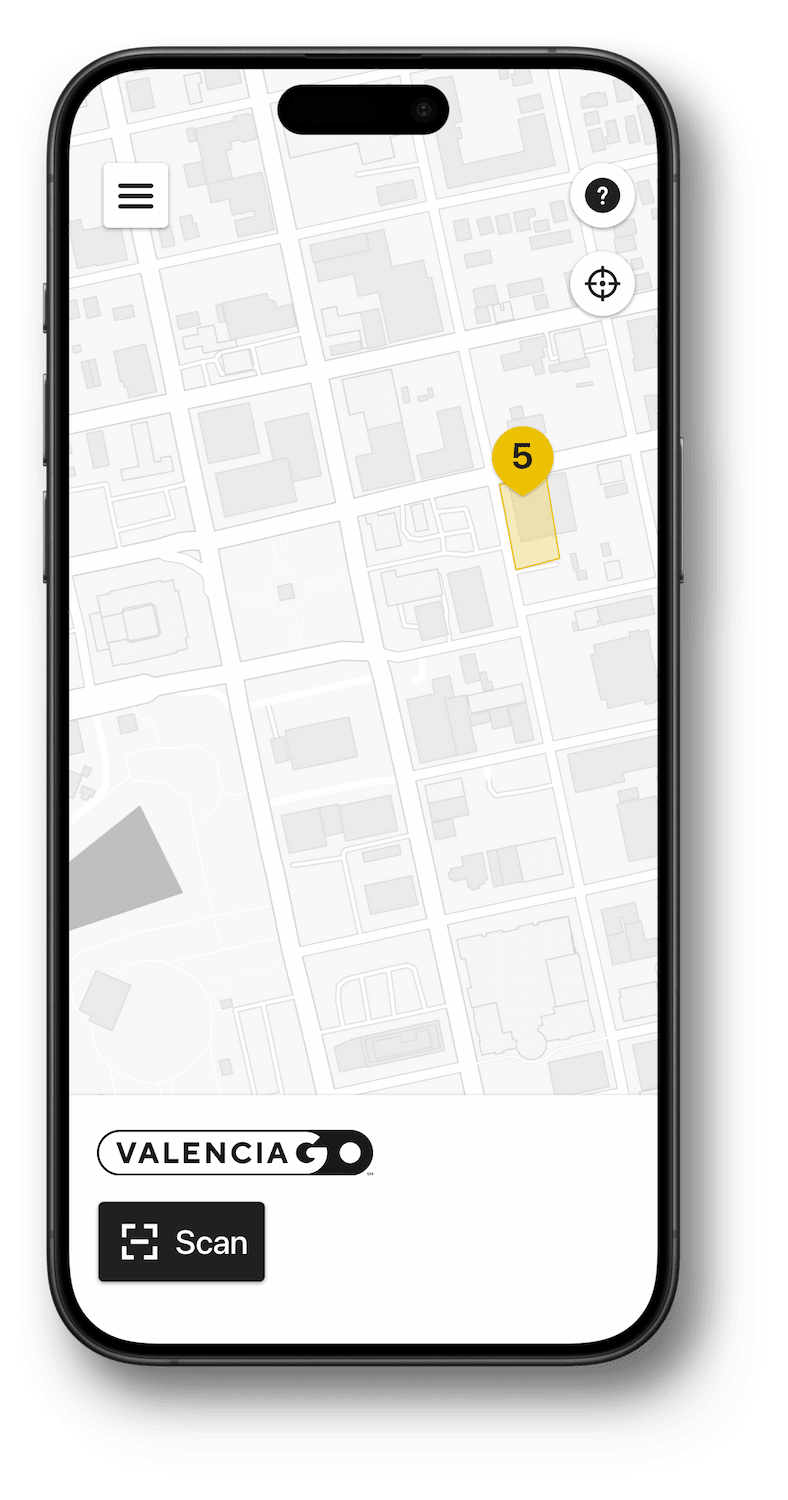
The VALENCIA GO bike share mobile app for iPhone and Android is the perfect companion when you're out and about.

Safety

Follow the rules

Do not ride on sidewalks. Ride in designated e‑bike pathways or in the street, only. Stop at all red lights and stop signs. Ride in the direction of traffic. Yield to pedestrians. Use the grip bell to signal your presence. Do not wear more than one earphone while riding. Obey traffic laws at all times.

Plan a sensible route

Plan your route before you ride to follow the safest route to your destination. You can use our app to find your way to a bike you've reserved or to a hub when you want to end your ride.

Do a pre-ride check

Adjust the seat height; try the grip bell; and if you're riding at night, check that the front and rear lights are illuminated.

Be predictable

Make it easy for the traffic around you. Don't make unexpected turns that put yourself and others in danger. Ride at a steady pace so other vehicles can anticipate your movement.

Wear a helmet

Whenever you ride, wear a helmet. Always buckle the strap. Replace your helmet after any crash and whenever you see signs of damage.

Tips for turns

Use hand signals to let drivers and other cyclists know your intention to turn or to stop. Don't turn or change lanes without knowing the position of the cars and bikes around you.

Frequently asked questions

General

  • What is the VALENCIA GO bike share?

    VALENCIA GO bike share is an electric, pedal-assist bike share network, servicing the residents and visitors of Valencia by FivePoint, California. To learn more about the VALENCIA GO transportation program and additional services, visit www.valenciago.org
  • What are pedal-assist e‑bikes?

    Pedal-assist e‑bikes ride like any other bicycle. Use the pedals to get moving, and squeeze the brakes on the handlebars to slow or come to a stop. As you pedal, a small electric motor adds assistance to boost momentum, making it easier to go long distances or ride up steep climbs.
  • What is the max speed of a VALENCIA GO e‑bike?

    VALENCIA GO e‑bikes can reach a maximum speed of about 16 miles per hour.
  • I want to ride a VALENCIA GO e‑bike. How do I get started?

    First, you need to download our app and create an account. The VALENCIA GO bike share app is available for Apple IOS and Android. Once you have downloaded the app you will just need to verify your phone number, enter your name and email address and agree to the terms of service. Our app requires access to your phone’s bluetooth, locations and camera. We also recommend that you verify your email address so that you may receive email receipts of your trips.
  • How do I book a VALENCIA GO e‑bike?

    Once you set up your account, you can use the app to find and scan an available bike. The QR codes that you can use to scan and book your bike are located on the lock of the bike, as well as the small plate between the handlebars. When you scan a bike for the first time, you will need to select a rate plan, and add a credit or debit card to your account.
  • How do I unlock a VALENCIA GO e‑bike?

    After you’ve scanned the bike and started the trip, tap on the unlock button and the rear wheel lock will open. Be sure to secure the end loop of the lock tether to the hook under the bike seat to keep the tether from tangling in the rear spokes during your ride.
  • Is there anything else I should do before riding a VALENCIA GO e‑bike?

    Before beginning a trip, use the app to identify a convenient hub location to end your ride. All trips must end in a hub. If needed you can adjust the seat height for comfort. Always be sure to test the brakes before going on your way and don’t forget to wear a helmet.
  • How do I end my trip?

    To end your trip, ride to your chosen hub and use the available racks to lock up your bike. Wrap the tether around the rack and insert the end loop into the wheel lock. Once the end loop is inserted, close the lock ring using the tab on the left side. The app will verify that you are within a hub, and that the bike is locked. Choose to end the trip in the app and you will be prompted to take a photo of the parked bike. Please make sure the photo is taken from the rear of the bike, clearly showing the tether wrapped around the rack and inserted in the closed wheel lock.
  • How much does it cost to use a VALENCIA GO e‑bike?

    VALENCIA GO bike share offers a specific pricing for eligible Valenica by FivePoint residents and additional pricing for visitors.
    Unlock feeInitial timeAdditional time
    ResidentNo unlock feeFirst 120 minutes free$0.08 per min after
    Non-resident$1.00 to unlock$2.50 for first 30 minutes$0.08 per min after
  • What is a hub?

    Hubs are officially designated parking areas that are highlighted on the service area map in the VALENCIA GO bike share app. All trips must end within a hub. There is currently one hub located at Verve Park.
  • What is the service area?

    The service area is the bordered zone on the VALENCIA GO bike share app. Bikes stranded outside of the service area are subject to higher penalty fees.
  • Do I have to wear a helmet?

    VALENCIA GO strongly recommends that riders wear a helmet.
  • Is there a minimum age to ride a VALENCIA GO e‑bike?

    All riders must be at least 18 years of age.
  • Can I book more than one VALENCIA GO e‑bike at a time?

    In order to help secure our network, only one bike can be checked out per rider. Any additional riders in your group will need to download the app on their phone in order to check out a bike. Riders cannot allow others to ride the bike when checked out under their profile.
  • What if I have questions or issues?

    You may contact us via support@valenciagobikeshare.com or by tapping the “?” icon in the bottom right of the app.

Advanced

  • How long does the boost last on a fully charged VALENCIA GO e‑bike?

    Depending on the weight of the rider and elevation changes of the ride, the boost should last anywhere in between 30 to 40 miles.
  • Do VALENCIA GO e‑bikes work when the battery loses its charge?

    VALENCIA GO e‑bikes are designed to be ridden as a normal pedal bike should the boost run out. It is not as easy a ride without the pedal assist, but it will still get you around town.
  • Can I make a mid trip stop outside of a hub?

    Yes, just be sure to secure and lock the VALENCIA GO e‑bike to a bike rack but do not end the trip in the app. While the bike is locked, no one else can book the bike but you will be charged normal usage rates. After you have run your errand, choose to unlock the bike in the app to ride to your destination hub.
  • Can I ride outside of the service area?

    Yes, you can ride a VALENCIA GO e‑bike outside of the service area. However, you are responsible for returning the bike to a hub at the end of your trip, even if you run out of boost. Bikes stranded outside of the service area are subject to higher penalty fees, outlined in the Terms and Conditions.
  • Why do I have to take a picture at the end of my trip?

    We ask riders to take a picture at the end of their trip to ensure that the bike is properly secured to a bike rack and responsibly parked out of the public’s right of way.
  • Do I take a picture of the QR code at the end of my trip?

    No, we do not want a picture of the QR code. Please take a photo from the rear of the bike clearly showing the tether wrapped around the bike rack and inserted in the closed wheel lock.
  • Can I lock the bike without wrapping the tether around a bike rack?

    No, you must always use the tether to secure the bike to a bike rack before locking. Bike left locked without the tether wrapped around a bike rack may be subject to penalty fees.
  • How can I review my trip and membership charges?

    To receive email receipts of trip and membership charges, you need to verify your email address.
  • How do I verify my email address?

    To verify your email address, tap on “Email verification” in the upper left corner of the app. Tap on “Send verification code”. The next screen will provide you with the field to enter the code. You will be sent an email verification code to the email address on file. Enter that code in the field provided in the app, and moving forward you will receive trip receipts after each of your rides.
  • How do I make changes to my membership status (opt in or opt out)?

    To make changes to your membership, open our app and tap on your name in the upper left corner. This will pull up a sidebar of account options. Tap on “Memberships and Pricing”. From here, you can turn on or turn off auto renew or switch your membership plan. If you want to opt out of your current membership plan, just make sure auto renew is toggled to the off position.
  • Are there other fees associated with use of VALENCIA GO e‑bikes?

    For Pay as You Go riders there is a $1 hold placed on credit or debit cards and a $30 hold for prepaid cards. These holds will be immediately released at the end of your trip but it might take several days to appear on your credit card statement.
    There are also penalty fees that may be applied to your account for misuse of the service. The penalty fees listed below can also be found in the terms of service:
    • Bike stranded out of service area = $50.00
    • Bike stranded out of hub = $15.00
    • Bike improperly parked or no end of trip photo provided = $10.00
    • Bike left unlocked = $35.00
    • Stolen vehicle recovery = $75.00
    • Loss of bike due to theft or damage = $2,000.00
  • Is there a minimum or maximum height?

    With our adjustable seats, our bikes can be ridden comfortably by anyone between 5’ and 6’5"
  • Is there a maximum weight limit?

    We do not recommend riding our bikes if you exceed 250lbs.

Troubleshooting

  • What do I do if the bike I book does not unlock?

    Unlocking issues can be caused by spoke pressure on the lock or a connection error between the app and bike’s lock. Should you have an issue unlocking a bike in the future, please do the following:
    • Make sure the wheel lock is not resting against one of the spokes on the rear tire. If it is, turn the rear wheel slightly to move the spoke away from the lock.
    • If the wheel lock is not resting against a spoke and the lock will not release after two attempts to unlock, end your trip. As long as the bike is locked and the trip is only a few minutes long, you will not be charged for the booking.
    • Attempt to re-book the bike, or if another bike is available nearby, book that one instead.
  • What do I do if there is a mechanical issue with the bike?

    Please report any mechanical issues with the bike to customer support by tapping on the “?” icon in the lower right corner or the app. If the mechanical issue makes the bike unsafe to ride, please lock the bike to the nearest available bike rack and notify support. Please note, the loss of pedal assistance is not a mechanical issue.
  • What do I do if the bike loses pedal assistance?

    Fortunately, our bikes are designed to be ridden as regular pedal bikes. If you do not wish to continue your trip without pedal assistance, ride to the nearest hub to end your trip and locate a new bike to book.
  • What do I do if I am ending a trip at a hub but the app is saying I am not at a hub?

    The app uses your phone’s GPS location when ending a trip. Make sure that the app has access to your location and bluetooth. If you are standing at the hub with the bike and the app is indicating that you are out of hub, tap on “Retry end trip” so that the app can recapture your location. This should fix the issue. If it does not after three attempts, notify customer support by going back to the map view in the app and tapping on the “?” icon in the lower right corner. You do not need to stay with the bike. We will be able to end the trip for you and make adjustments to the trip cost to match the lock times.
  • What do I do if I cannot lock the bike?

    If you are trying to end your trip but cannot close the wheel lock, first make sure that the spokes are not blocking the lock ring. If the lock ring is reaching the other end of the lock, but not clicking in place, tap on the “Recalibrate” button. Wait for ten seconds and then try locking the bike again. If this does not work after three attempts, notify customer support by going back to the map view in the app and tapping on the “?” icon in the lower right corner. Our fleet team will be dispatched to secure the vehicle. You do not need to stay with the bike. We will be able to end the trip for you and make adjustments to the trip cost.
  • What do I do if I cannot upload the end of trip photo?

    Please make sure that the app has access to your phone’s camera. If you are unable to upload a photo after three attempts, notify customer support by going back to the map view in the app and tapping on the “?” icon in the lower right corner. We will be able to end the trip for you. We recommend taking a photo of the bike as you parked it in case we have any additional questions.